


ACCOUNT
Phone verification
See which details are requested before account access and where the verification message appears.
dewigaming puts Live Roulette Royal, Crash Fast Lift, Fishing War Arcade and basketball markets behind one account, with DANA and QRIS status visible near…
Access is available only where local law permits.


Casino rooms come first, followed by live tables, fishing games and sportsbook markets arranged for quick movement between sections.
Recognisable names including Pragmatic Play, PG Soft and Habanero appear alongside other studios, with availability shown directly in your current lobby.
DANA, OVO, GoPay and QRIS appear as named local routes in our cashier, so you can identify the correct wallet before entering an amount.
Some areas deserve a closer look before you use the cashier or enter a live room. Our home links point to account access, wallet status, game categories, support and policy pages without…



Four checks make our home page easier to use from your first visit. Confirm that your phone number can receive the verification message, read the account fields before…
When access or transaction status stalls, start with the support link beside your account or cashier route. Live chat is suited to immediate navigation questions, while email lets you attach a receipt image and explain a longer sequence. Before contacting us, note your account identifier, payment route, transaction reference and the time shown in your record. Never send a password or verification code. Current service availability is displayed inside each support channel, so you can see whether chat is open or whether an email response is required.
Open chat from the home or cashier area for account navigation, wallet status and game-location questions. The chat panel displays current availability before you begin the conversation.
Use email when a case needs a receipt image, transaction reference or detailed timeline. Include the relevant account identifier, but leave passwords and verification codes out of your message.
The phone menu keeps the help route close to account and cashier screens. You can copy a transaction reference from the record before opening the available contact channel.
Phone access takes you from account verification to the home lobby without requiring a separate application.
Account protection begins before the lobby opens. We use phone verification as a clear checkpoint and ask you to keep passwords and one-time codes private.
A single home route reduces the need to search separate pages for basic actions. We keep account entry, casino categories, sportsbook access, cashier status, support and policy links…
| Account access | Our route begins with one phone-based account path and a visible verification step. Scattered links can send you to unrelated forms without showing how the details connect. |
|---|---|
| Lobby movement | Slots, live tables and sportsbook markets share the same main navigation. Separate saved pages make returning to the correct category or account area less predictable. |
| Cashier status | Each transaction belongs to the cashier record tied to your account. Message-only instructions may lack the live status and reference needed when a request requires checking. |
| Game context | Rules and feature details remain attached to the selected title or table. Isolated screenshots can become outdated and may omit the conditions visible inside the current game screen. |
| Support route | Chat and email are reachable from the home structure with clear purposes. Searching old conversations can lead to a channel that does not match your current account issue. |
| Policy access | The footer provides repeat access to terms and privacy wording. Detached promotional pages may not place those conditions near the account action you are considering. |
Game data differs by title and category, so we avoid presenting one return figure as if it applied across the lobby.
Check the title panel for published return data, feature rules and stake range before opening a slot session.
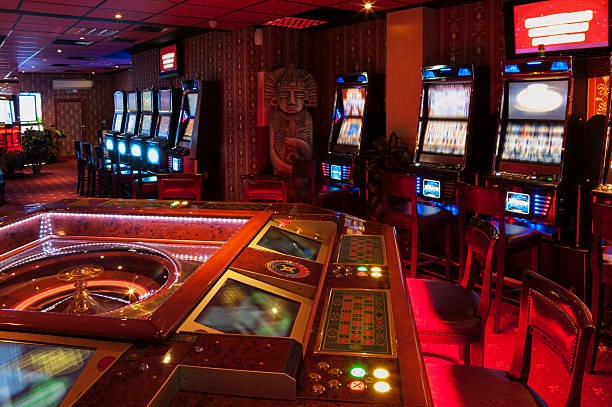
Table rules, available bet types and displayed minimums belong to the specific roulette room you select.
Baccarat, blackjack and Dragon Tiger use table-specific rules that remain visible through the selected room.
Crash Fast Lift uses round-based mechanics, so read its on-screen controls and result history before participating.
Fishing War Arcade presents its controls and feature behaviour inside the game rather than through slot-category assumptions.
Our home page is configured for Indonesia with DANA, OVO, GoPay and QRIS labels, plus football, badminton and basketball categories. Access from Yogyakarta follows the same browser route used elsewhere: verify your phone, open the lobby and check the cashier options shown for your account. Availability depends on local law, device connectivity and the current services displayed on screen. We do not infer eligibility from your city alone; read the access terms linked in the footer before opening an account.
The useful parts of our home page are visible before you commit to a game session.
A clear mobile-number step comes before account access, with verification handled as its own checkpoint. You can prepare accurate details before moving into the full lobby.
Search and category controls help you locate slot rooms without paging through unrelated tables. The route back to the main lobby remains available from the category view.
Live baccarat, roulette, blackjack and Dragon Tiger sit in a dedicated area. Open the chosen table to inspect its displayed rules and current availability.
DANA, OVO, GoPay and QRIS are written clearly in the cashier. Select only the route shown for your account and retain the resulting transaction reference.
Football, badminton and basketball markets appear through the sportsbook navigation. Active selections, market conditions and availability are shown inside the relevant event screen.
Terms, privacy wording and access conditions remain linked below the main content. You can inspect them before account entry or return when a later question arises.
These answers cover the questions we receive about reaching and using the dewigaming home page. They explain the account starting point, lobby categories, local cashier routes, mobile behaviour, support path and policy access. Where a status can change, we direct you to the live account, cashier or lobby display rather than making a fixed claim. Keep transaction references and game round details available when asking for help, but never share your password or phone verification code through chat or email.
Begin with the task you need rather than opening several tabs. For account access, use the phone-verification route and complete each visible field.
Select the account option, enter accurate details and complete phone verification. Return to support if the message fails rather than repeatedly submitting changed personal details.
Start with casino, slots, live dealer or sportsbook, then use its filters. This keeps your route focused and makes the home button easy to find.
Select a displayed local route, follow its current instruction and keep the transaction reference. Status questions should use that record rather than an older receipt alone.
Chat fits quick navigation or status questions; email fits receipt attachments and longer timelines. Current channel availability appears where you open the support option.